
235,715
Delivered orders

Searching someone who can help with assignment help online? Hire our best assignment experts and enjoy the best grade.
n the current data-driven world, transferring raw information into an interactive visual is a significant skill. On that topic,
rogramming assignments are the tasks and projects which are assigned to the students. These assignments focus on the
I
n the current data-driven world,
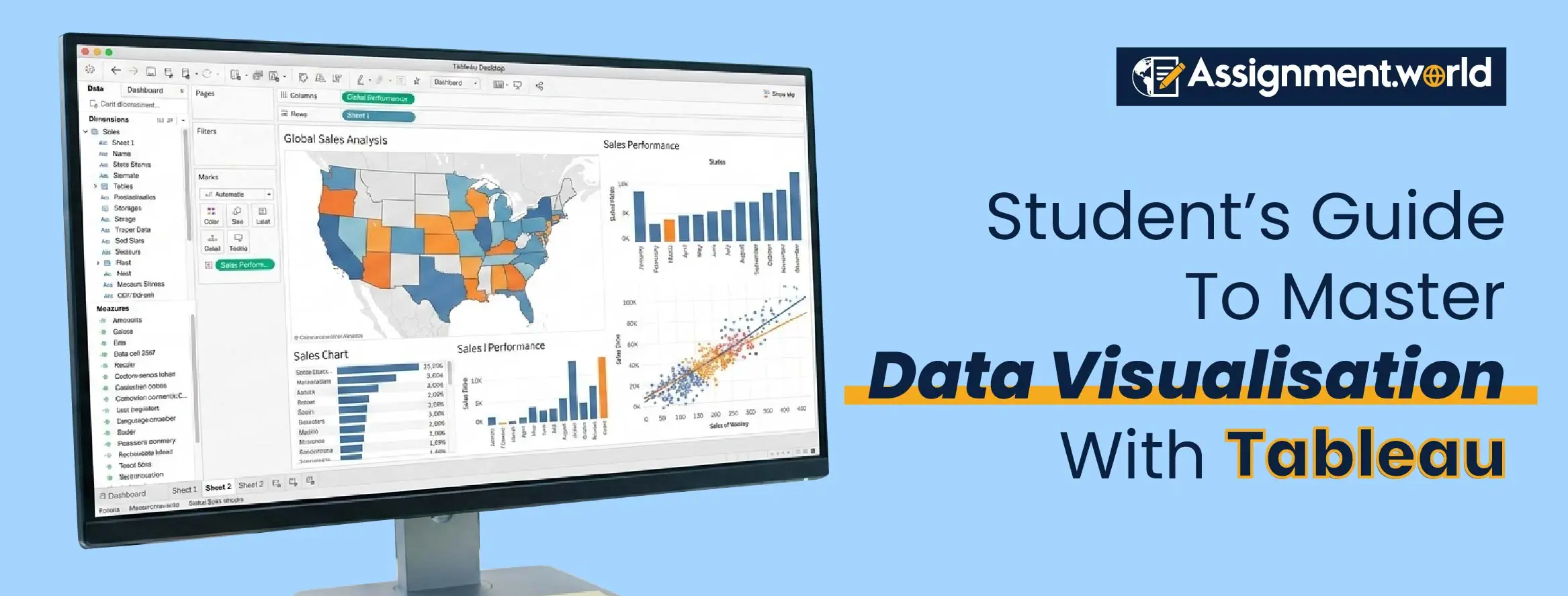
data visualisation with Tableau enables you to transform complex data into clear, interactive, and compelling insights that will empower you to make smarter decisions.
transferring raw information into an interactive visual is a significant skill. On that topic, data visualisation with Tableau enables you to transform complex data into clear, interactive, and compelling insights that will empower you to make smarter decisions.
If you want to step up your game in Tableau, then we will tell you how to use Tableau effectively with a detailed overview. We will share all the tips, tricks, and techniques that will make a difference in your Tableau learning experience.

Tableau has become the go-to platform for your data visualisation as it is simple and analytical. You can connect multiple data sources, design dashboards, and present insights while adding visual storytelling in this platform.
When you use data visualisation with Tableau, you can:
Transform the raw data into an interactive visual.
Identify patterns, trends, and anomalies instantly.
Share your dashboards interactively for all academic and professional works.
Leave an impression on the evaluation with a visually published report.
Tableau is not just about the charts, but it is about creating a story where you can make the data more meaningful and impactful.

If you want to go beyond the description of the Tableau, then understanding the Tableau interface is going to be the key. Whether you are using Tableau Public, Desktop, or Online, knowing the Tableau data visualisation guide is intuitive and designed for exploration.
The step-by-step process to begin is:
First, install Tableau Public. It is free to download and ideal for students.
Now import the data sources by using Excel, Google Sheets or CSV files.
Try to understand the workspace by learning how to use shelves, marks and filters.
Build your first chat by starting with a bar or line chat to visualise simple trends.
If you are a student of the Tableau course and are feeling confused about the assignment. Then you can always look for professional help. In such a case, there is no better partner than Assignment.world to help you out. The time you save in giving the assignment to us can be used to make your subject foundation strong and learn new concepts.
If you want to create clear and attractive visuals, then you have to select the correct data visualisation techniques. Tableau offers you a diverse range of options to experiment with.
Here are some popular techniques that you need to try on:
If you want to compare categories, then a bar chart is the best option.
If the main focus is on showing the intensity or density, then use heat maps.
To highlight the relationship between two variables, use scatter plots in your projects.
If you want to create hierarchical or categorical data, then tree maps will do it.
To see the combination of different measures of dependence analysis, use Dual-Axis charts.
When you get to understand the different kinds of visuals and how these techniques work, you can create a great visual for yourself.
If you want to step up your game in elevating your visuals even more, then here are some Tableau tips and tricks that can help you build a smarter and cleaner dashboard.
Add colours to your dashboard to give a spotlight to the insights.
Using leverage filters and parameters will allow users to explore data dynamically.
Adding tool ps will help you to give a context without cluttering the visuals.
Keep a consistent layout of the same fonts, margins, and chart size to maintain professionalism.
Let all your visuals tell a story with a clear takeaway for the audience.
When you apply the smart Tableau tips and tricks, you guarantee that you have elevated your dashboard and made it stand out, whether it is in your academic project or professional reports.
Learning how to use Tableau effectively goes beyond technical skills. It is about developing an analytical mindset. Here is how to make the most out of Tableau software.
Plan before you start by building a sketch of the insights that you want to show before designing visuals.
Focus on the relevance and avoid overloading dashboards. Your main focus is the data points.
Use calculated fields to add custom logic for people analysis.
Use a real-time connection for up-to-date analytics.
Make a combination of visuals and interactive data narratives for presentations.
Remember, the more you practise, the easier it will become for you to design a visual that speaks clearly and purely.
Your Tableau software learning does not stop after one project; it will involve exploration and consistent practice for the advanced Tableau data visualisation guide.
Here are awesome recommended learning resources that you can use:
Tableau Learning Hub: It offers free tutorials with community sessions.
YouTube Channels: You can find countless videos on different topics.
Community forums: You can connect with professionals for advanced learning.
Practice data set: Use free datasets from Kaggle or Data.gov to test your skills.
When you go through this diverse range of resources and learn from them, you just expand your understanding of the data visualisation concept even more.
Once you have started mastering Tableau Data visualisation techniques in the beginning phase, you can now step up to experimenting with advanced features to bring your data stories to life.
Use dynamic filters to let users adjust the few based on their preference.
Calculative fields will help you to perform analytics directly with Tableau.
Integration with Python or R is ideal for research or data science projects.
Custom geographical maps are useful when you are using location-based data analysis.
These are some of the advanced capabilities that take your dashboard from simple charts to interactive analytical tools in the future.
Mastering the art of data visualisation with Tableau ensures that you can apply the scales across different disciplines, whether it is for a data analytics task or in healthcare research. Tableau is not just important in your academics; it creates a future opportunity for your future professions as well.
Companies value professionals who can turn data into actionable insights for you. When you master Tableau, it means that you can complete your coursework effectively, yet also prepare for any data-driven roles in the future.
When you showcase your Tableau dashboards in your academic portfolio, you convey that you have creativity, analytical thinking, and communication skills. All of these skills will be valued in your future professional scenario.
Tableau is more than just a software; now it is something that you can use across your academic and professional life. Through the Tableau software learning, you can unlock many professional opportunities in the future while reflecting significant skills in life storytelling.
Getting used to Tableau is a tough process, but with us, no more, as our services will help you out with everything. So the next time you are having any issue in Tableau, just reach out to Assignment World. Our services will give you premium Tableau assignment help to make your academic life easier.