
235,715
Delivered orders

Searching someone who can help with assignment help online? Hire our best assignment experts and enjoy the best grade.
anaging financial statements is a hassle for all, especially when you use a software tool for the first time.
rogramming assignments are the tasks and projects which are assigned to the students. These assignments focus on the
M
anaging financial statements is a
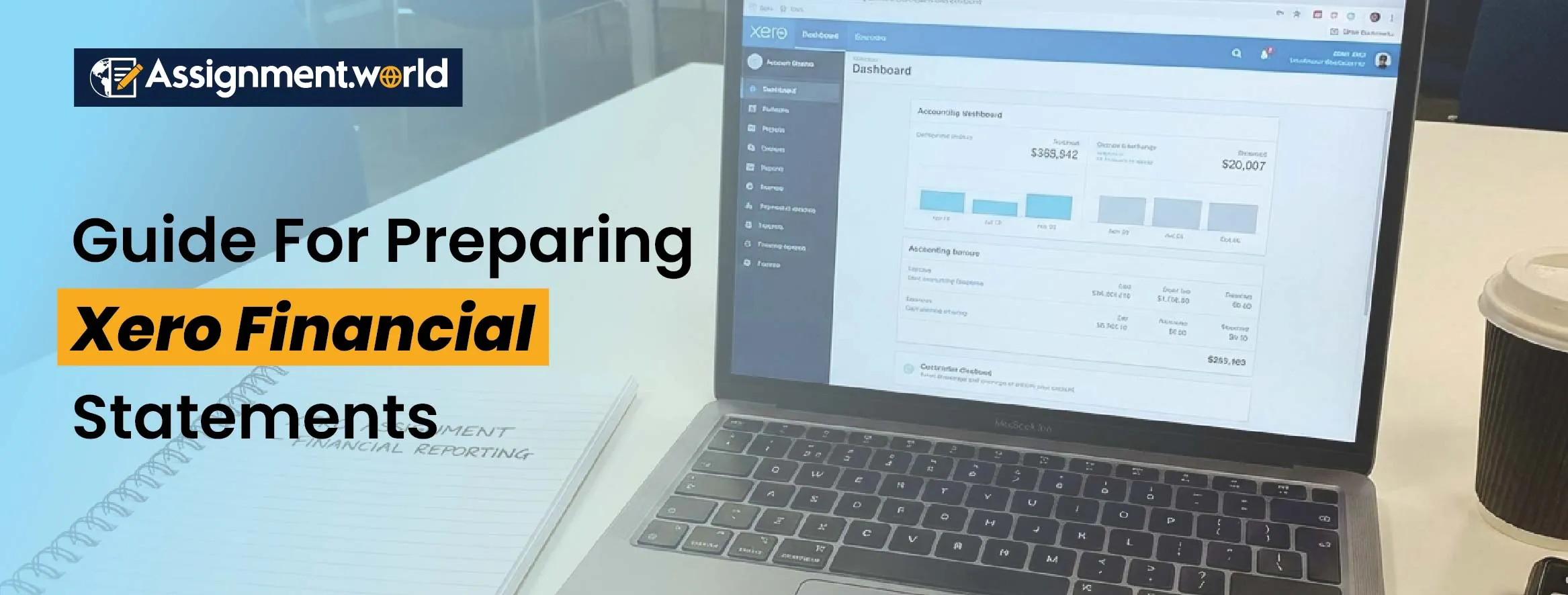
Xero is one of the most popular cloud-based accounting platforms, designed to turn your complicated financial processes into simple ones. Preparing Xero financial statements is about developing practical skills through your assignments that are valued by employers.
hassle for all, especially when you use a software tool for the first time. Xero is one of the most popular cloud-based accounting platforms, designed to turn your complicated financial processes into simple ones. Preparing Xero financial statements is about developing practical skills through your assignments that are valued by employers.
Join us to learn about financial statements in Xero in this blog. Look at everything from profit and loss, balance sheet, to cash flow statement. We can tell you all the practical tips, best practices, and even the common mistakes that you need to avoid.

Let us first look into the concept of Xero financial statements. These statements outline the financial health and performance of a corporation based on a particular time period. There are three major types of reports that build the base of financial reporting in Xero.
Profit and Loss Or Income Statement: This statement represents a corporation's total income, expenses, and net profit for the time period.
Balance Sheet: This statement demonstrates what the business owns, known as assets, what it owes, known as liabilities, and the equity left for owners.
Cash Flow Statement: This statement is used to track the flow of cash in companies, indicating their liquidity position.
These financial reports have a significant role in real-life business and university projects. The main purpose of learning it is to evaluate the profitability, financial stability, and cash management, which are necessary skills in accounting.

The accuracy of your financial statements in Xero heavily depends on how well the system is set up before report generation. Let us see the key steps for it:
Personalise Your Charts of Accounts
Your charts of accounts are the basis for accurate reporting. It ranks each of the transitions under assets, liabilities, income, or expenses.
Go to accounting - charts of accounts in Xero.
Now add or edit the accounts that are related to your project.
Use clear, descriptive names and assign correct tax rates.
Well-organised charts make sure that the transaction posts to the correct place, which helps to make the report cleaner and easier to interpret.
Add Transactions and Keep Records Updated
Correctly enter all the sales, purchases, and expenses. If any incomplete data remains, then the Xero financial statements will result in inaccurate outcomes.
Add invoices and bills promptly.
Document payments as they occur.
Check if the receipts match the bank transactions with the use of a reconciliation tool.
Need a pro tip? Use the bank feeds in terms of importing automatically, which will save hours of manual work.
Reconcile Regularly
Reconciling will make sure that the Xero transactions have actually matched the bank activity. Hence, you need to always complete your reconciliation before generating the reports. In case you miss reconciliations, it can cause differences between your balance sheet and actual account balances.
The Xero profit and loss report, also popularly known as the income statement, is used to describe whether a company is making a profit or not, based on a particular time period.
Steps to Create the Xero Profit And Loss Report
Open the Xero dashboard, go to reports - Profit and Loss.
Select the reporting period. For example, monthly, quarterly, or yearly.
Click on the comparison period to see the trends. For example, this month vs. last month.
Click on the “Update” option to generate the report.
Personalising And Interpreting Your Report
Apply filters to include or exclude accounts.
Add % columns to examine changes.
Look for unusual trends, such as a sudden increase in expenses.
Concentrate on net profit as it represents the final performance outcome.
The Xero balance sheet illustrates a business’s financial position at a single point in time. It helps to point out everything a business has owned and owes.
Steps To Generate a Balance Sheet In Xero
Go to reports - balance sheet.
Select the “As at” date. For example, 30 June 2025.
Select if you want to add the comparative figure for the earlier period or not.
Select the “Update” option to get the final report.
Understanding The Sections
Assets: Cash, receivables, inventory, and fixed assets.
Liabilities: Payables, loans, and outstanding debts.
Equity: Owners’ investments and retained earnings.
Why It Matters
The Balance Sheet in Xero is an effective way to identify liquidity, leverage, and solvency ratios. Through its related assignment, you get the chance to learn how, in real life, corporations manage their resources and debts.
The cash flow statement in Xero shows how the cash has moved throughout a business. Sometimes, even profitable companies can struggle with this part. Understanding Cash flow statement in Xero is going to help you track the liquidity.
Steps To Generate A Cash Flow Report
Go to reports - cash summary/class flow statement.
Select the reporting period and click on update.
Review these categories
Operating Activities: Cash that is from the daily business operation.
Investing Activities: Cash that is spent on or earned from buying or selling any assets.
Financing Activities: Loan, repayment, or owner contributions.
Interpreting the Report
A positive operating cash flow indicates that the company's operations are sustainable. On the opposite side, the negative trends represent the possible liquidity issues. You need to link this analysis to probability data from your Xero profit and loss report to show the financial insights.
Even beyond these three main statements, there are additional financial reports that can improve the analysis and presentation:
Trial Balance: It confirms that the total debits are equal to the total credits.
Account Transactions Report: This helps to showcase all the transactions in one account.
Budget Manager: This is used to have a comparison of planned vs actual spending.
Aged Receivables and Payables: It is useful to examine the cash flow timing.
You can add these additional Xero financial reports to your assignment as appendices to showcase the detailed financial evaluation.
Crafting the best Xero financial statements comes with discipline and consistency. So follow these best practices to achieve the best results:
Reconcile Frequently: Reconcile every week to avoid any kind of panic in the end.
Keep Supporting Documents: Attach receipts and invoices to the transactions.
Use Tracking Categories: Separate the data for departments or product lines.
Review Before Submission: Do not forget to check the total, dates, and classification.
Consistent Naming Conventions: A Uniform account name will prevent confusion.
Run A Trial First: Fix errors before you export the final report.
With these practices, you will be able to produce a quality amount of accurate and professional financial statements.
While you are learning how to prepare financial statements in Xero, you must also avoid these common mistakes:
Avoid forgetting to record any small expenses that could lead to an imbalanced account.
If you are posting an expense in the wrong category, it will misinterpret the results.
Not reconciling before the reporting can result in mismatched figures between the reports.
Avoid putting an incorrect reporting date; your project’s reporting period needs to match your assignment guidelines.
Do not ignore non-cash items; always look for depreciation, accruals, and provisions.
Always remember that accuracy and paying attention to the details will help you achieve extra scores.
After you have generated the financial reports, you can move forward to analyse the reports. In case you are working on any coursework, then you need to showcase your understanding of what the numbers mean.
Profitability Analysis: Use your profit and loss report to calculate the ratios such as operating margin, net profit percentage, and gross margin.
Liquidity Analysis: The balance sheet will support you in calculating the liquidity ratios that include the quick ratio and the current ratio. These ratios are used to represent how easily the business can meet short-term obligations.
Cash Flow Insights: In this part, discuss the cash inflow and outflow from the cash flow statement. You need to highlight whether the company has relied more on operating or financing cash flows.
The interpretation of these reports helps you to master how to turn the raw data into meaningful financial insights, which is a must-have skill for accounting students.
Mastering a financial statement in Xero is not just about learning a software feature; more than that, it is a process for developing career-ready skills. All over the world, corporations have trusted financial statements in Xero for real-time financial management; hence, its experience makes you more employable.
Here are some benefits that you gain from it:
Practical Knowledge: You get real-world experience with an accounting system.
Analytical Thinking: You get to learn to interpret numbers beyond calculations.
Efficiency: Automated repetitive tasks and focus on analysis.
Confidence: With this, you can produce accurate reports independently for university or internships.
Once you get to know how to prepare financial statements in Xero, you will feel more confident tackling your finance-related projects or assignments.
Crafting a financial statement in Xero is not easy at first; however, with regular practice, you can master it. With this software's help, you can prepare accurate and insightful financial statements. In the future, the skills you learn through Xero will help you in Excel, coursework, and even give you a professional edge.
Afraid of starting on your own? Then do not worry, as our services are always available for you. With Assignment World, you can learn all the tricks for Xero university projects. Our Xero accounting pod assignment help covers various subjects like auditing, bank reconciliation, payroll management, and asset management. We are always here to help you learn and improve your academic grades.