235,715
Delivered orders

New to accessing the Holmes Institute Blackboard? Get to know what it is and how you can use the Learning Management System here.
nline learning platforms in modern education have become a valuable resource in the current time. The
rogramming assignments are the tasks and projects which are assigned to the students. These assignments focus on the
O
nline learning platforms in modern
Holmes Institute Blackboard is one of the most important tools supporting your academic journey. It acts as a central hub where you can access course materials, submit assignments, interact with lecturers, and track your progress efficiently.
education have become a valuable resource in the current time. The Holmes Institute Blackboard is one of the most important tools supporting your academic journey. It acts as a central hub where you can access course materials, submit assignments, interact with lecturers, and track your progress efficiently.
In today's blog, we are going to look at the Holmes Institute Blackboard details, how it works, how you can log in, navigate its features, troubleshoot common issues, and make the most of it. Whether you are new or experienced, this guide is going to cover everything you need.

Holmes Institute Blackboard is the official digital learning management system that is used by Holmes Institute and its partner colleges. It is developed to bring all the academic resources into one secure digital space so that you can focus on learning without having any confusion.
In Holmes Institute Blackboard Details, you can find lecture slides, record sessions, assessment briefs, announcements, and the discussion boards in one place. Now you no longer have to jump around on multiple platforms; this system is going to make sure that your academic communication and learning resources are organised and accessible anytime.
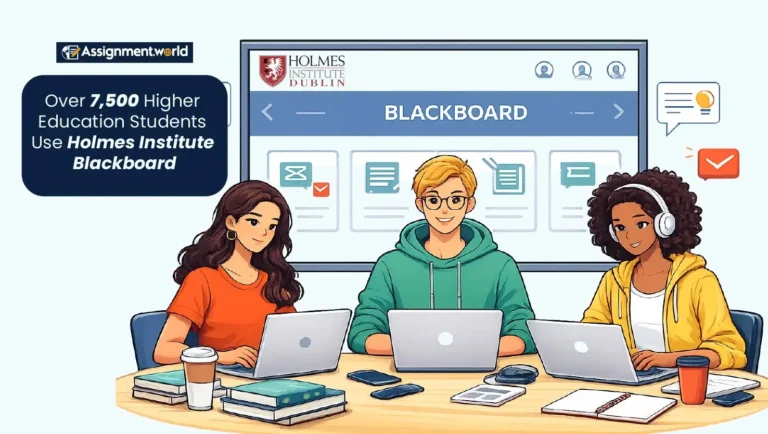
Using the Blackboard regularly helps you stay organised and academically prepared. The software is essentially meant to centralise learning and communication.
Regular access to Holmes Institute Blackboard ensures you:
Keep yourself updated with announcements and deadline changes.
Essay access to lecture materials and video recordings.
Real-time tracking of grades and feedback.
Submit assignments securely and on time.
Direct communication with professors.
The structured tools in the portal help with proper time management and reduce any confusion. By regularly visiting it, you ensure that you do not miss any crucial updates. In short, the utilisation of the Holmes Blackboard helps in planning, effective communication, and academic performance.
Knowing how to access Blackboard at Holmes is easy as long as the right steps are followed. This is a Blackboard (Anthology) solution accessible to students.
To know how to access Holmes Blackboard, simply follow these steps:
Go to the official Holmes Institute Blackboard login page.
Now enter your username and password issued by your institute.
Click on the "Sign In" option to open your Student Portal dashboard.
Select the enrolled course for which you would like to view materials and announcements.
To gain smooth access to the Holmes Institute's Blackboard platform, you will need to update your browser and ensure your internet connection is working properly. In case you forget your password or encounter difficulties in logging in, you can seek assistance from the Holmes Support or helpline. Regular login helps you stay updated with important academic information.
The portal for Holmes Blackboard is your central place to access Blackboard. It is intended to bring all your learning tools and resources together.
Inside the portal, you can:
Accessing weekly lecture materials and recordings.
View assessment briefs and submission links.
Grades and feedback from instructors.
Check announcements and deadline updates.
Participate in discussion boards.
The structure is course-specific and module-specific, making it easy to navigate. It is user-friendly if you wish to peruse the Blackboard details within a particular subject. The regular use of the Holmes Blackboard Student Portal fosters better communication and organisation, and promotes learning efficiency throughout the semester.
The platform provides you with various useful tools, both for structured and flexible learning. The Anthology has developed it for easier management of academics.
Key features include:
Online Assignment Submission: Secure File Upload with Timestamp Confirmation
Grade Centre Access: Instant View of Grades and Feedback
Calendar & Notifications: Track deadlines and academic events
Discussion Boards: Interacting with Professors and Peers
Plagiarism Checking Tools: Maintaining Academic Integrity
These tools, located in the portal, assist you with organisation and accountability. Knowing various details about Holmes Institute Blackboard can help you to improve your workflow and be more efficient with your assignments. Overall, the platform prides itself on being accessible, transparent, and learning-focused in a single, secure online space.
Holmes Institute Blackboard assists in the easy and transparent management of assignments. It facilitates the safe and organised tracking of assignments and feedback.
Here's how it helps:
Upload assignments directly through the submission link.
Receive instant confirmation with submission timestamps.
View online grades and rubrics.
Access the professor's comments for improvement.
Track re-submission deadlines (if applicable).
With the tools available within the portal, it is possible to track your performance of the semester. Getting feedback regularly enables you to recognise areas where you are excelling and areas where you need improvement.
If any issues arise in the submission of the work, support is available from Holmes Blackboard Support. Using this platform effectively can ensure a better and more organised approach to the submission of work and effective academic communication.
It is true that even though the Blackboard is a fully reliable learning platform, at times, you may encounter small technological challenges. However, these problems are few and can be addressed briefly.
Login errors and forgotten passwords.
Incomplete course modules.
Slow loading speeds during peak submission times.
Assignment upload failures.
To fix these basic problems, use:
Clear Browser Cache & Cookies.
Update your browser.
Check your internet connection.
Attempt to access the system from another device.
Even so, if the problems still remain the same, then reach out to Holmes Blackboard Help. Regularly checking the Blackboard details can also enable you to be aware of any system upgrades or maintenance announcements.
Support is available through institutional IT services and help desks. If you come across any technical issues, password resets, or access problems during your student assignment journey, then you can always mitigate them by reaching out to the helpline.
The support team tries to resolve all the issues quickly so you can return to your studies without disruption. The Holmesglen Institute always provides you with screenshots or error messages to speed up the resolution process.
Holmes Blackboard supports effective study habits when you strategically use it. You can download materials for online review, rewatch your recorded lectures, and organise notes based on weekly modules. Using discussion boards also allows you to clarify doubts and engage with peers, creating a collaborative learning environment that mirrors classroom interaction.
Holmes Institute Blackboard is more than just a digital classroom; it is your academic control centre. When you understand how to use it effectively, you can gain better organisation, enhance communication, and achieve greater control over your studies. Not only does such software keep you organised, but it also helps you submit assignments on time. One such companion to help you submit assignments on time is Assignment.world. You can book your assignments with us and leave all worries behind. With us, you can achieve better academic grades and long-term results.